TEST 011
7 free alternatives to Adobe's apps
Short answer
ArtCraft's Crafting Apps are free, open-source desktop apps that each follow one Adobe tool: PhotoCraft (Photoshop), VectorCraft (Illustrator), PdfCraft (Acrobat), DesignCraft (InDesign), FilmCraft (Premiere Pro), EffectCraft (After Effects) and LightCraft (Lightroom). They run on your own computer, and ArtCraft says each can be driven from a command line tool, a JSON control channel or an MCP server. They are young: ArtCraft labels two of them early alpha and the rest in development.
ArtCraft's Crafting Apps are a family of free, open-source desktop apps. Seven of them each follow one of Adobe's tools. Here they are one at a time: what each is for, and what to know first.
The seven at a glance
| App | Follows | Good for | ArtCraft's label |
|---|---|---|---|
| PhotoCraft | Photoshop | Photos, layers, masks and adjustment layers | Early alpha |
| VectorCraft | Illustrator | Vector illustration | In development |
| PdfCraft | Acrobat | Reading, organising, combining and securing PDFs | Early alpha |
| DesignCraft | InDesign | Page layout and publishing | In development |
| FilmCraft | Premiere Pro | Cutting video, colour and sound | In development |
| EffectCraft | After Effects | Motion graphics and visual effects | In development |
| LightCraft | Lightroom | Organising and developing photos | In development |
What ArtCraft says about all of them
From ArtCraft's own apps page (getartcraft.com/apps):
- Familiar from day one. "Layouts, tools and shortcuts that working professionals already know, so there's nothing to relearn."
- Your files, your machine. "Everything runs locally on your own files. No cloud round-trips between you and your work."
- Agent-ready. "Drive every app from a CLI, a JSON control channel or an MCP server, built for automation and AI agents."
01. PhotoCraft, the Photoshop alternative
ArtCraft calls it the open-source image editor you already know how to use. It has layers, adjustment layers such as Curves and Levels, layer styles on live type, selections and masks, and real PSD files.
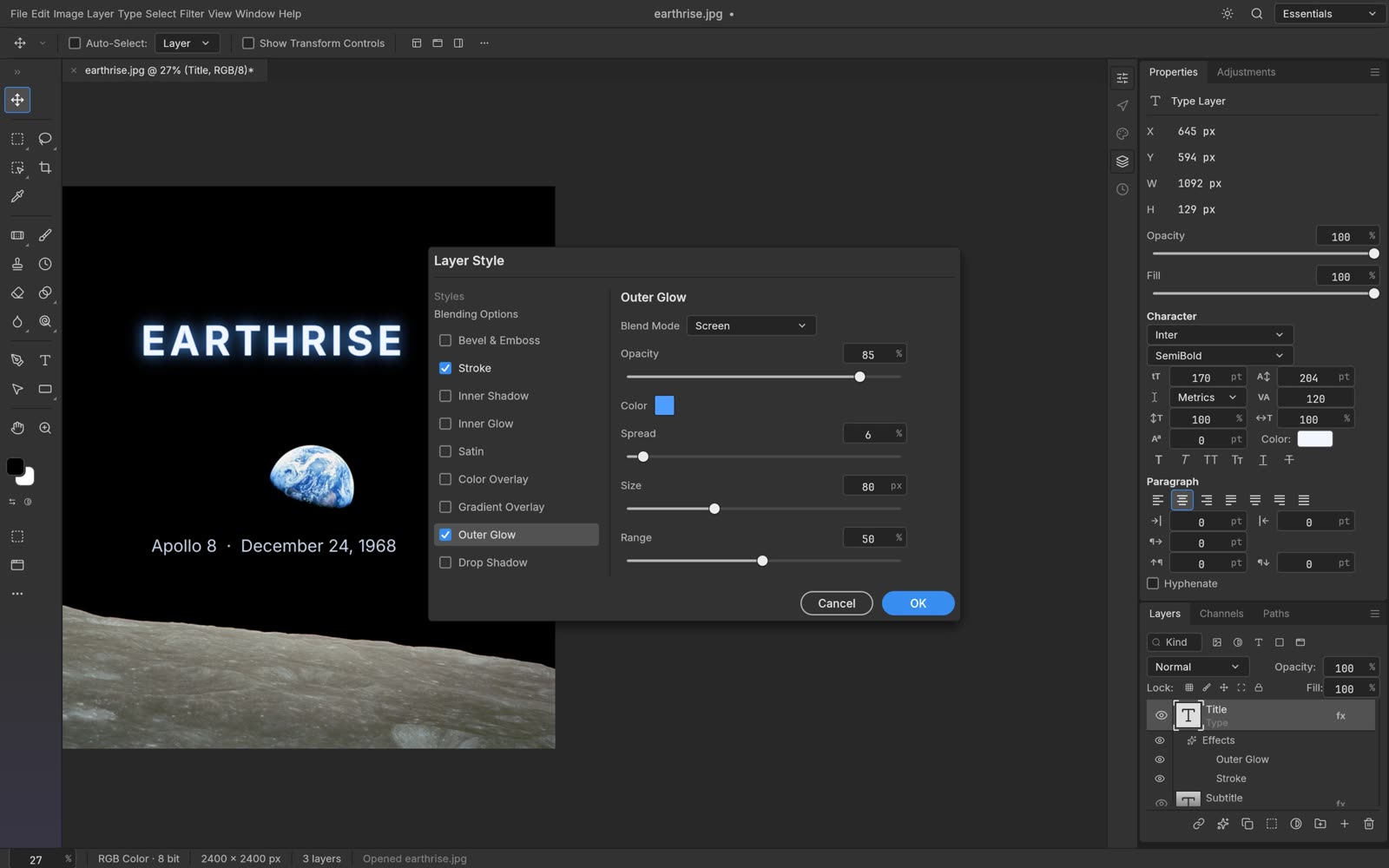
Screenshot: ArtCraft press kit.
Try it: Open a photo, add a Curves adjustment layer, then a text layer with a drop shadow.
02. VectorCraft, the Illustrator alternative
Vector illustration with the pen and direct-selection tools, live blends, gradient mesh, envelope distort, a perspective grid and Pathfinder shape operations.
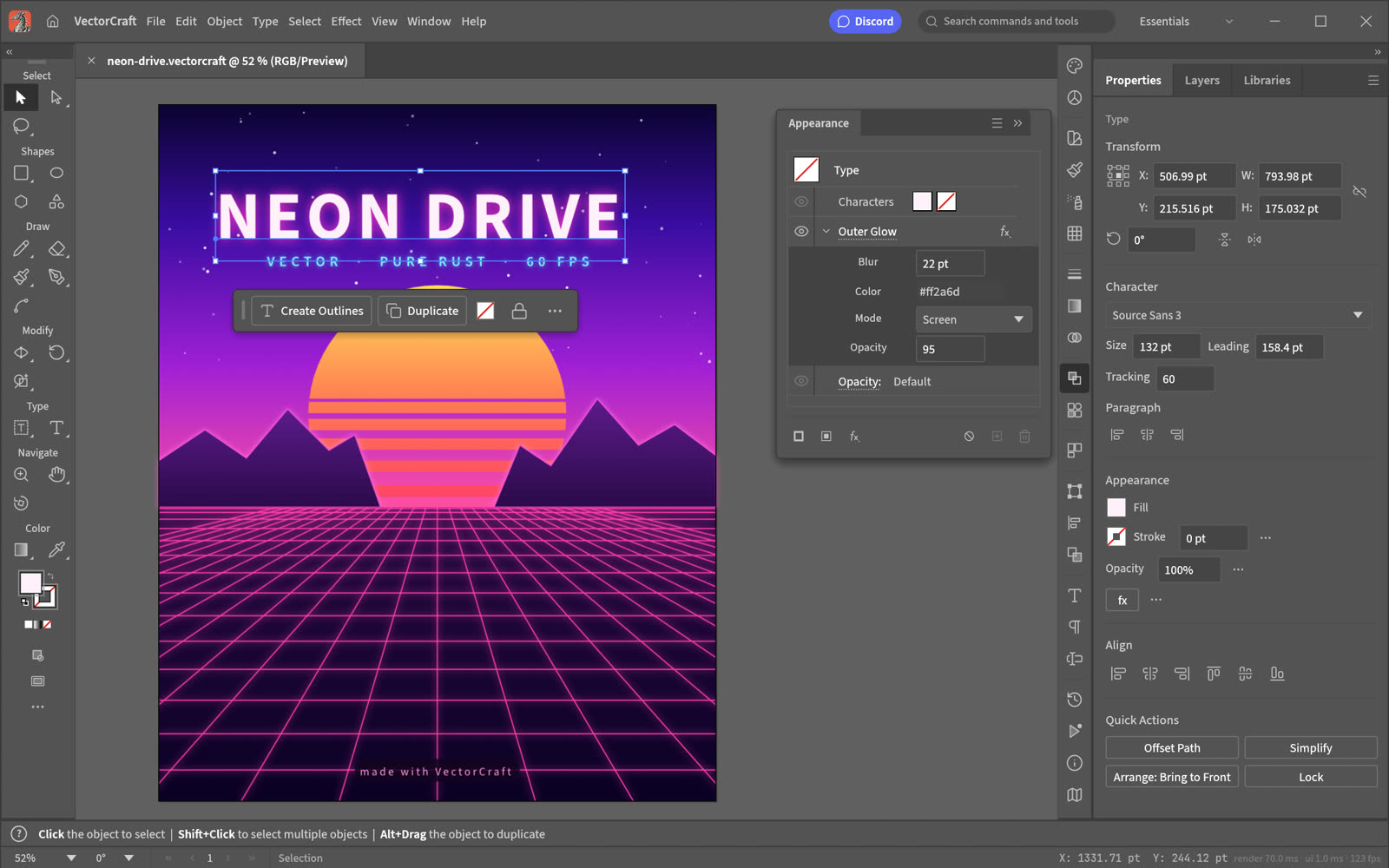
Screenshot: ArtCraft press kit.
Try it: Draw two overlapping shapes and try a Pathfinder cut.
03. PdfCraft, the Acrobat alternative
Read, organise, combine, split and secure PDFs. It also handles forms, layers, threaded comments and redaction, and its command line tool has an audit command that finds fake redactions.
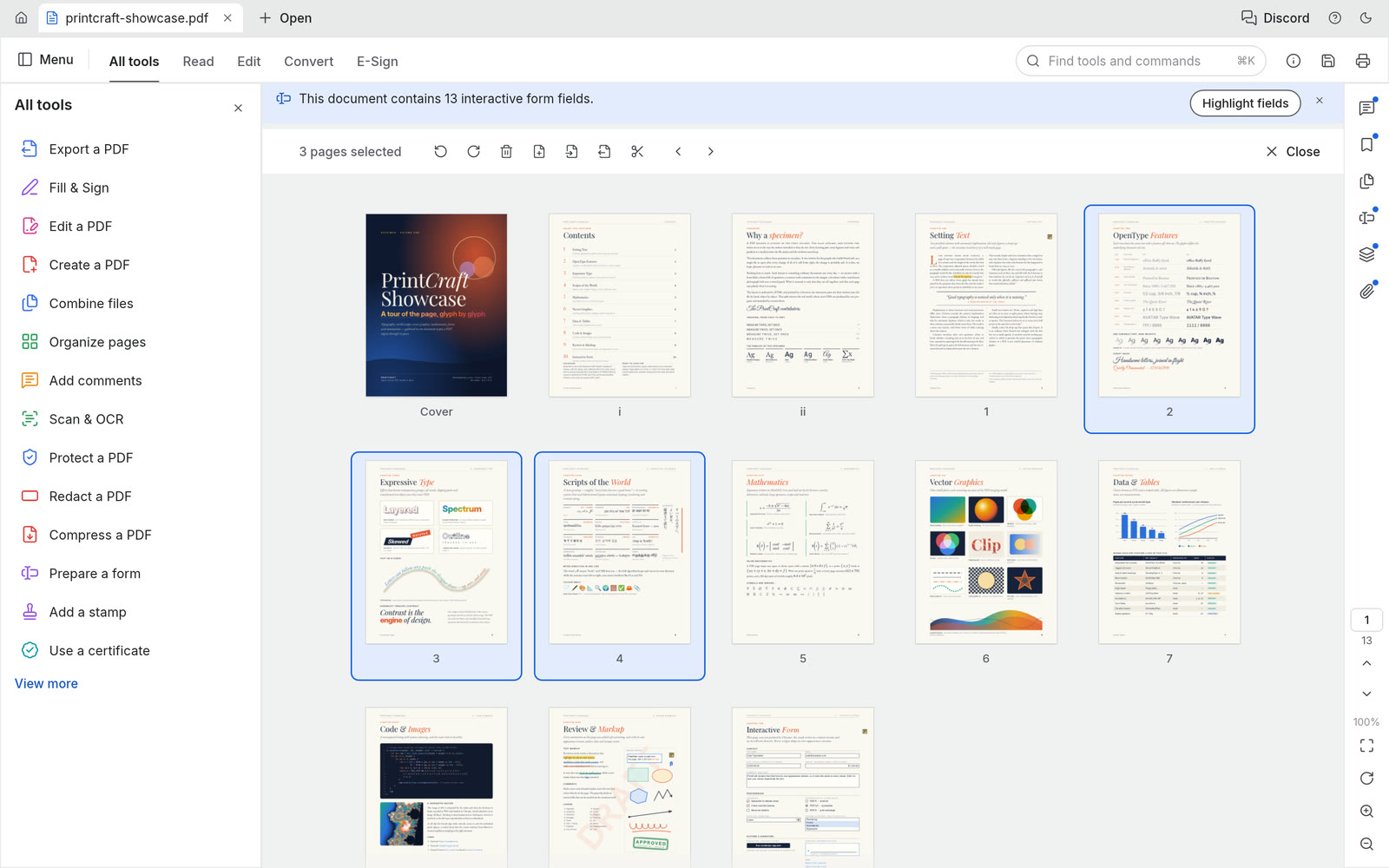
Screenshot: ArtCraft press kit.
Try it: Combine two PDFs and reorder the pages.
04. DesignCraft, the InDesign alternative
Page layout and publishing: text frames that flow across columns and pages, and spreads.
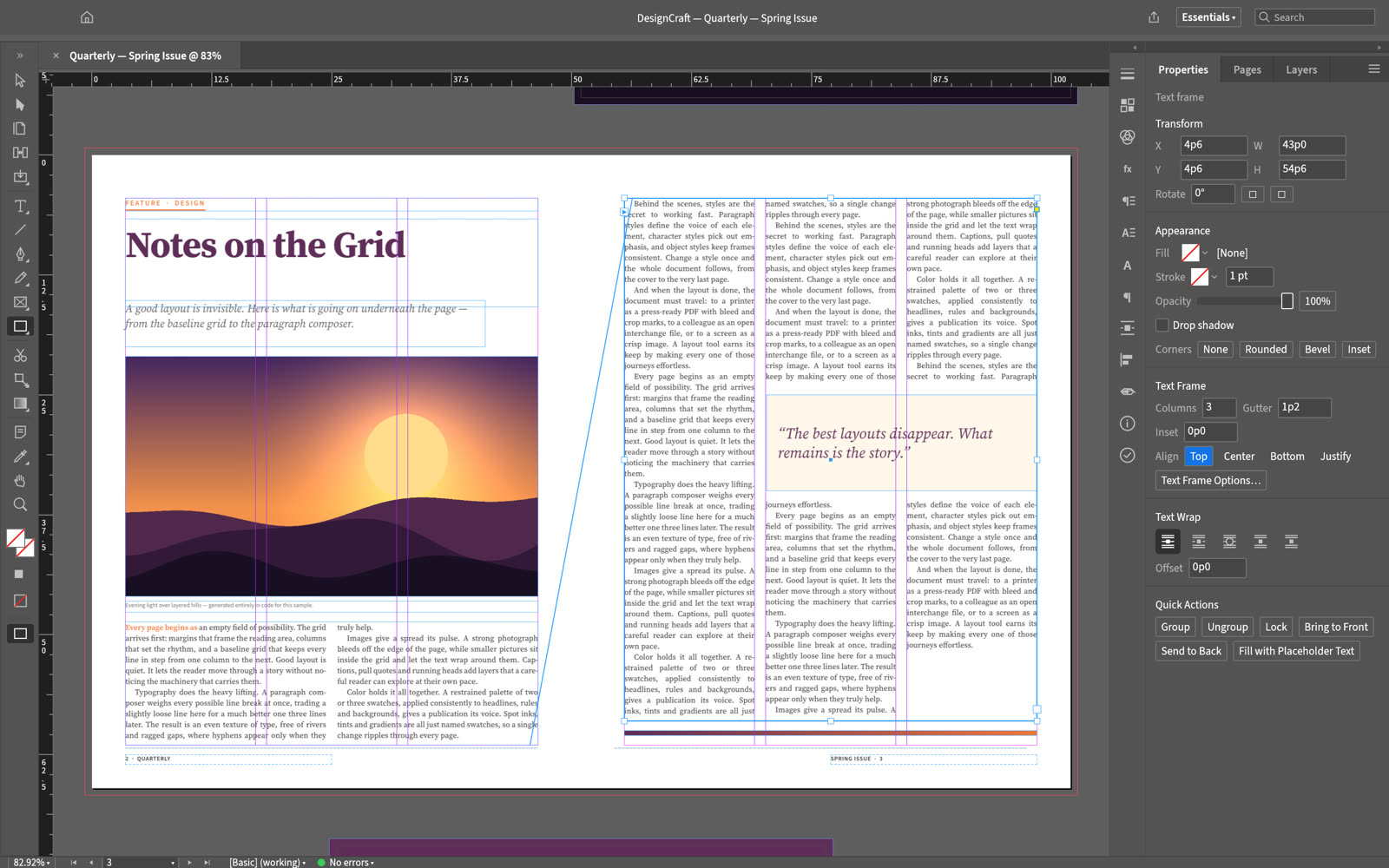
Screenshot: ArtCraft press kit.
Try it: Start a two-page spread, flow a long text across both pages, and add a pull quote.
05. FilmCraft, the Premiere Pro alternative
A multi-track timeline with video scopes, effect controls, keyframes and export presets. Caption tracks import and export as SRT, WebVTT and SCC, speech to text is optional and off by default, and filmcraft-cli run builds a timeline from a script file of commands without opening the app.
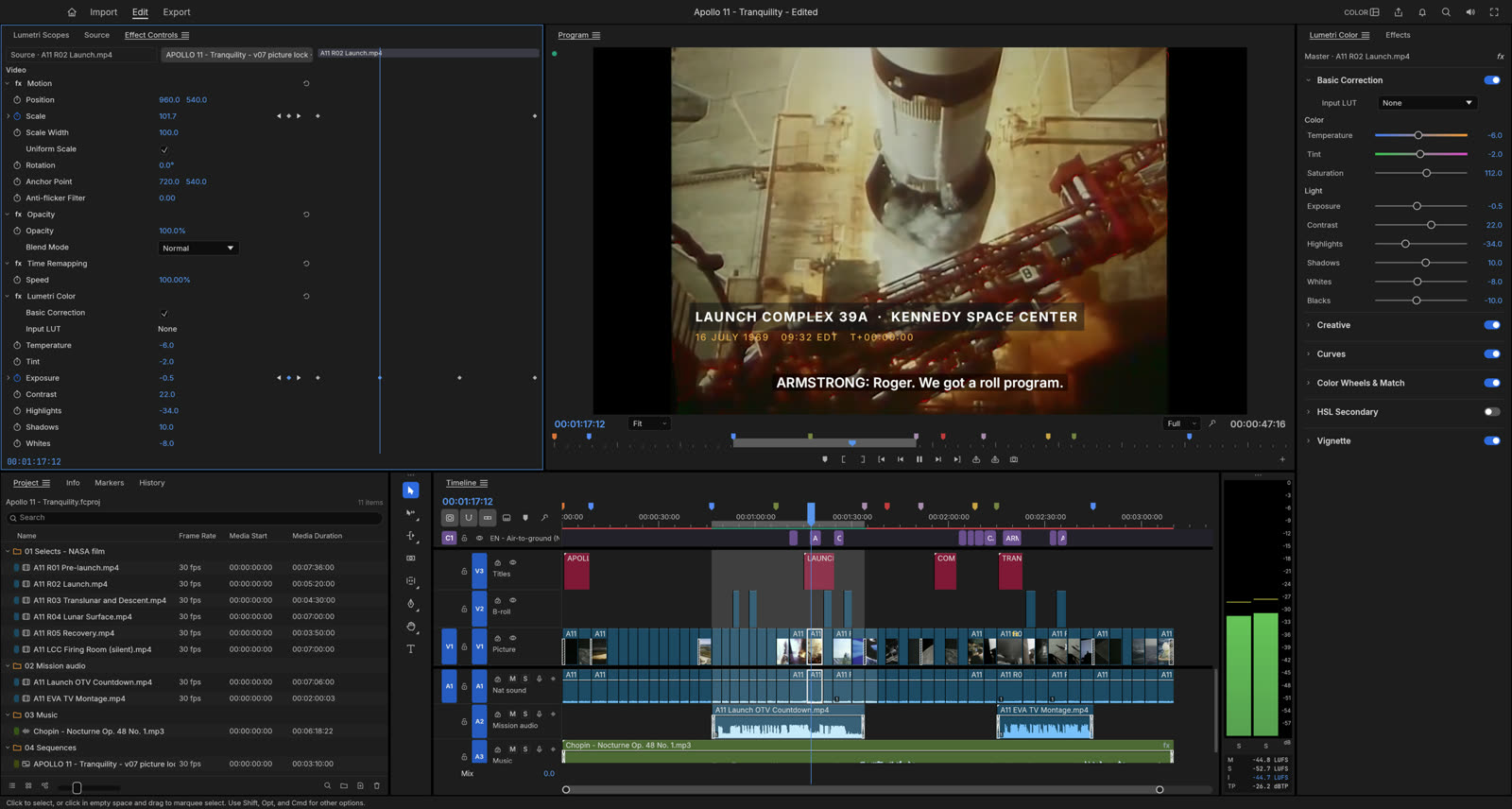
Screenshot: ArtCraft press kit.
Try it: Drop three clips on a sequence, cut one with the razor, and export H.264 for the web.
06. EffectCraft, the After Effects alternative
Compositions, layers, keyframes, expressions and 3D cameras and lights. ArtCraft lists hundreds of effects and 38 blend modes. It exports video, image sequences and Lottie.
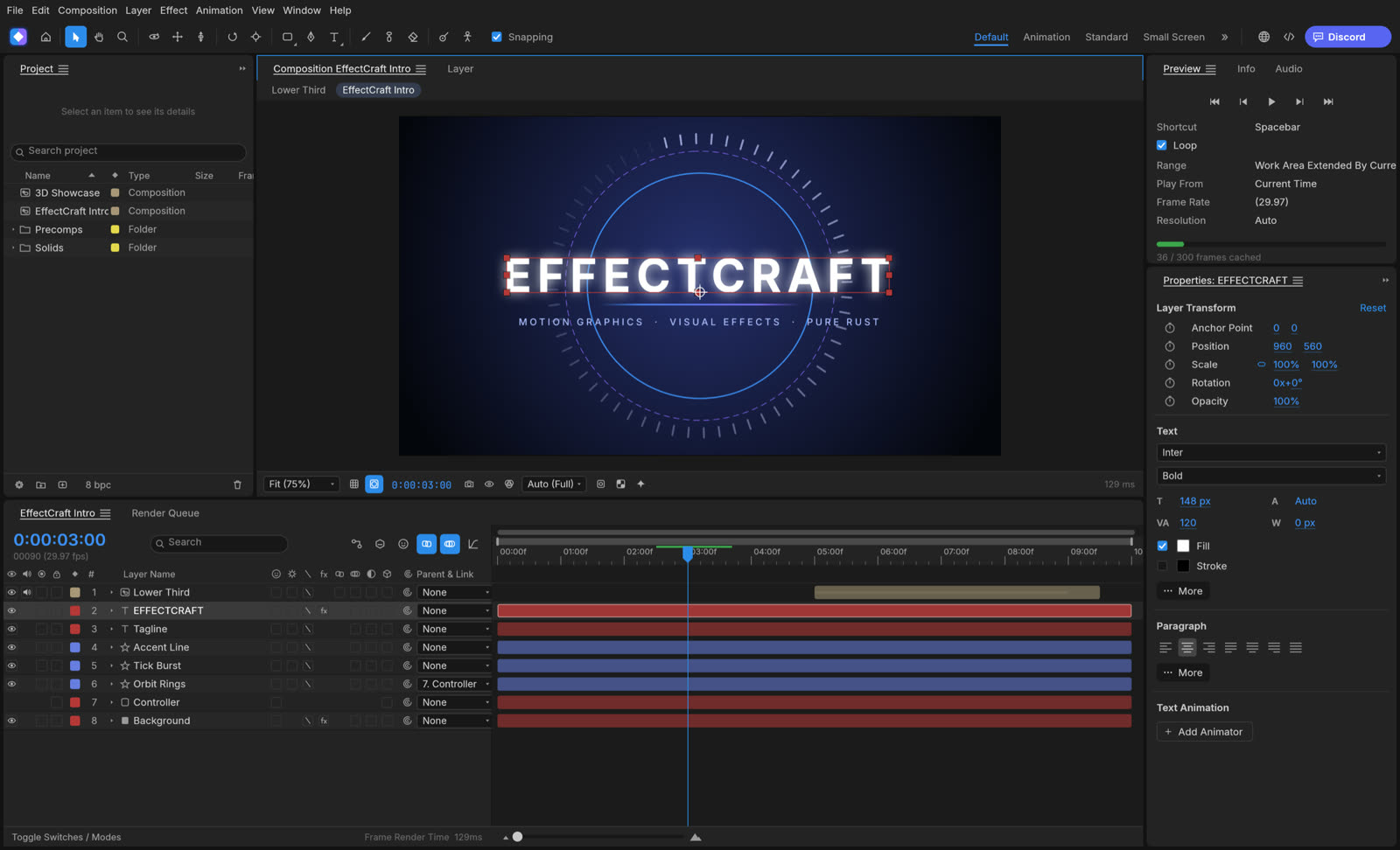
Screenshot: ArtCraft press kit.
Try it: Make a title, keyframe its position and opacity over one second, and render H.264.
07. LightCraft, the Lightroom alternative
A photo library and raw developer that runs on your machine: exposure, highlight and shadow sliders, colour grading wheels and masking.
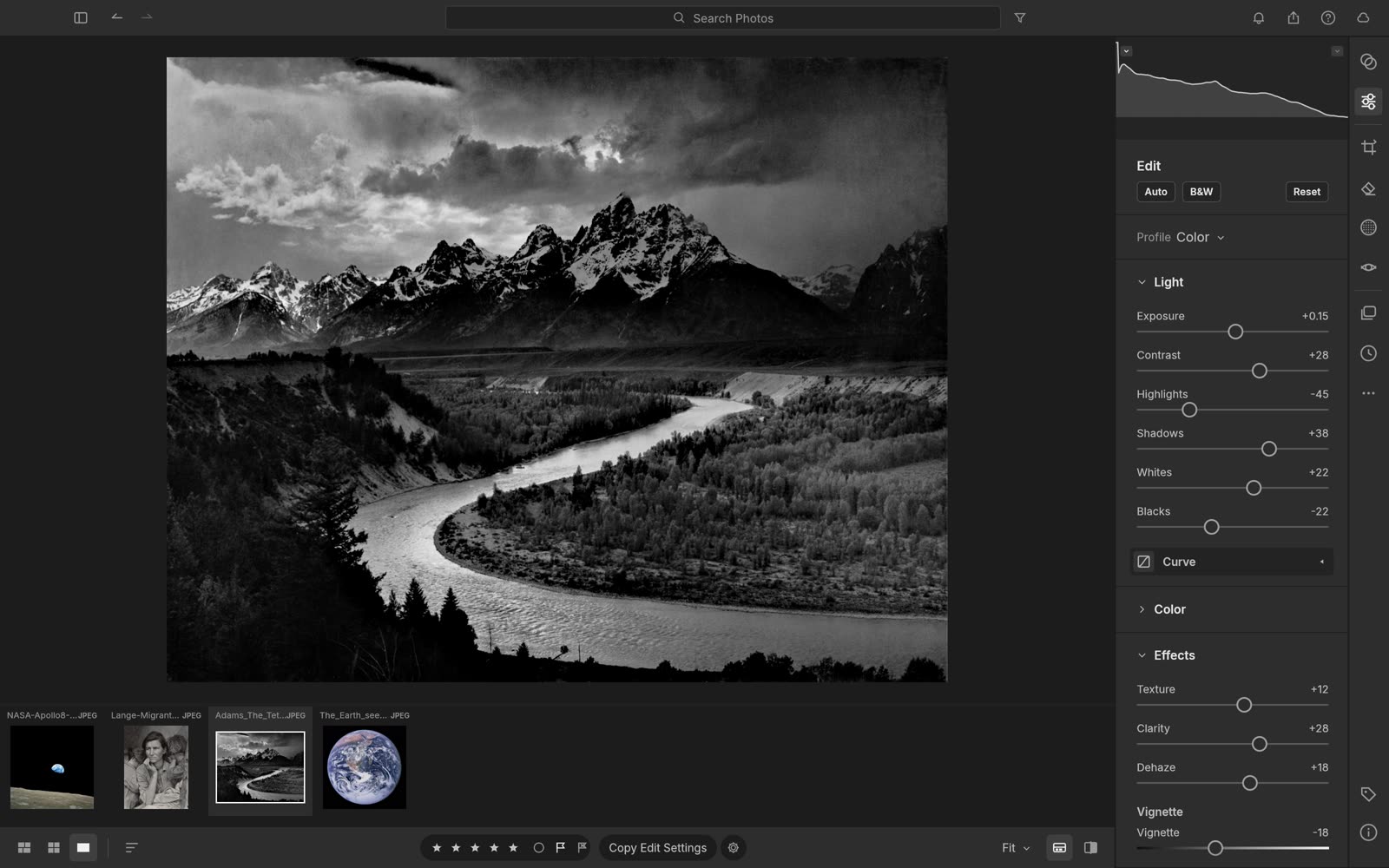
Screenshot: ArtCraft press kit.
Try it: Import a few photos, develop one, and compare it with the original.
Where ArtCraft's AI studio fits
ArtCraft also makes an AI studio: you block a scene in simple 3D, and AI generates images and video from it. Per ArtCraft's pricing page, generation runs on credits (plans from $10 a month) or on your own compute and third-party subscriptions. ArtCraft presents the studio separately from the seven apps above, which are free.
Let an AI drive them
ArtCraft says every app can be driven from a command line tool, a JSON control channel or an MCP server, built for automation and AI agents. Each app's command line tool includes an mcp command, for example photocraft-cli mcp. PhotoCraft's can also bridge to a running app started with --control <port>, so an AI works in the open window and you watch the layers appear.
Get them
Download from ArtCraft's own pages: PhotoCraft, VectorCraft, PdfCraft, DesignCraft, FilmCraft, EffectCraft and LightCraft. The full list of ArtCraft's apps is at getartcraft.com/apps.
Things to take note of
- These are young apps. Keep a copy of anything important in a format you already use.
- They update constantly, so what works today can change. Check each app's page for its latest build.
- VectorCraft draws the named colour
rebeccapurpleas black. Hex codes such as#663399draw correctly. - PhotoCraft cannot save AVIF. PNG, JPEG and WebP work.
- After redacting in PdfCraft, check the document's metadata. The title can still hold the phrase you redacted.
- Check each app's page before you rely on a file format.
- The AI studio is a separate product with paid credits. The seven apps are free.
- Screenshots marked "ArtCraft press kit" come from ArtCraft's own press page.
Questions
Are they really free?
The Crafting Apps are free and open source, under MIT or Apache-2.0 at your option. ArtCraft also runs an AI studio that sells generation credits, and presents it as a separate product from the apps.
Do I need an account?
ArtCraft says everything runs locally on your own files. The PhotoCraft, PdfCraft and LightCraft pages also say no account is needed; check the other pages.
Does PhotoCraft work with PSD files?
ArtCraft lists real PSD files as something PhotoCraft handles. A layered PSD that PhotoCraft saved reopened in PhotoCraft with its four layers and looked identical in macOS's own reader. That is the only check we ran, so test the files you depend on.
Can an AI use them?
ArtCraft says every app can be driven from a command line tool, a JSON control channel or an MCP server, built for automation and AI agents.
Which computers do they run on?
Each app's page lists its installers. The seven here have macOS builds, and most also have Windows and Linux.
Where do I get them?
From the app pages linked below, which are ArtCraft's own.